Remove a child from your caseload (unenroll)
How to end your access to a child when they leave your care, and what stays with the family when you do.
When a child finishes with you or moves on, you unenroll them. This ends your access to that child. It is deliberately not called delete, because it does not erase the family's data.
The child, the guardian's account, and every recording stay with the family. Deleting a family's data is the family's call, made from their own account, not yours. The unenroll screen says this plainly before you confirm.
If you unenroll someone by mistake on a busy afternoon, there is a short undo window on your caseload to put them back.
Step by step
-
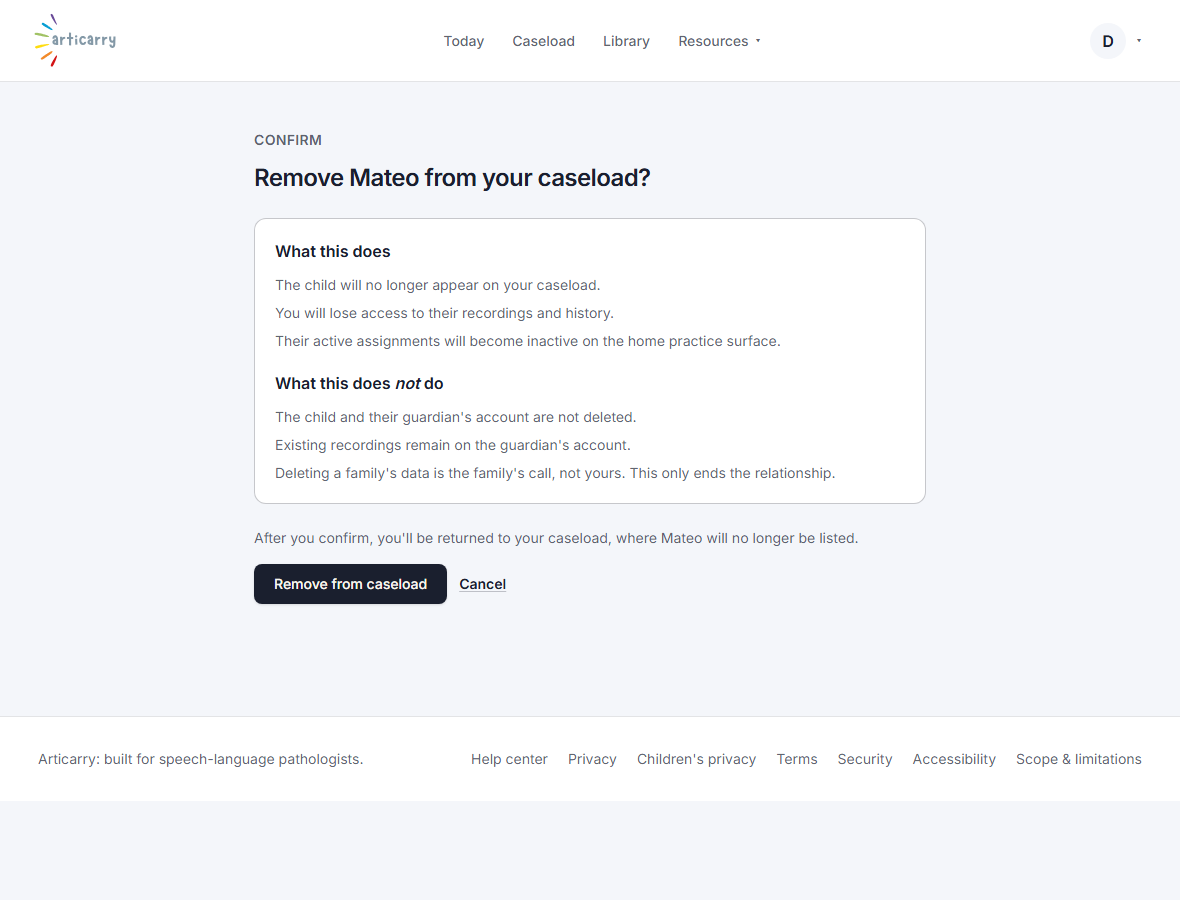
Open the child, then choose Unenroll. Read the two lists: what this does, and what it does not.
What it does: ends your access. What it does not: it does not delete the family's data.
-
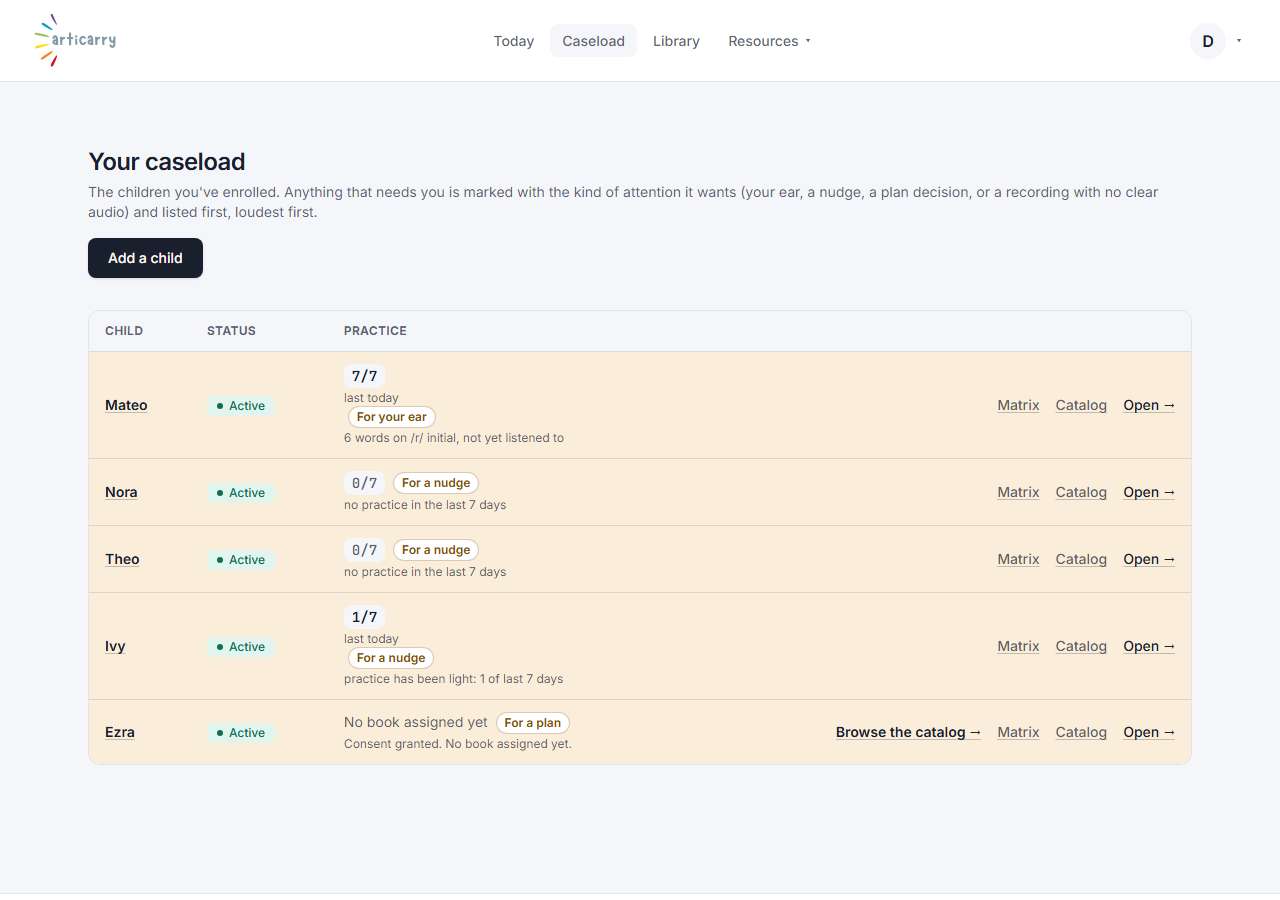
Confirm. You are returned to your caseload, and the child is no longer on it.
-
Changed your mind? A recently removed child can be restored from your caseload for a short window.
Good to know
- If a family wants their data deleted, that happens from the guardian's own account. Point them to the Manage or delete your data topic.