Manage or delete your data
You are in control of your child's data. How to withdraw consent, delete recordings, or close the account, from your own account.
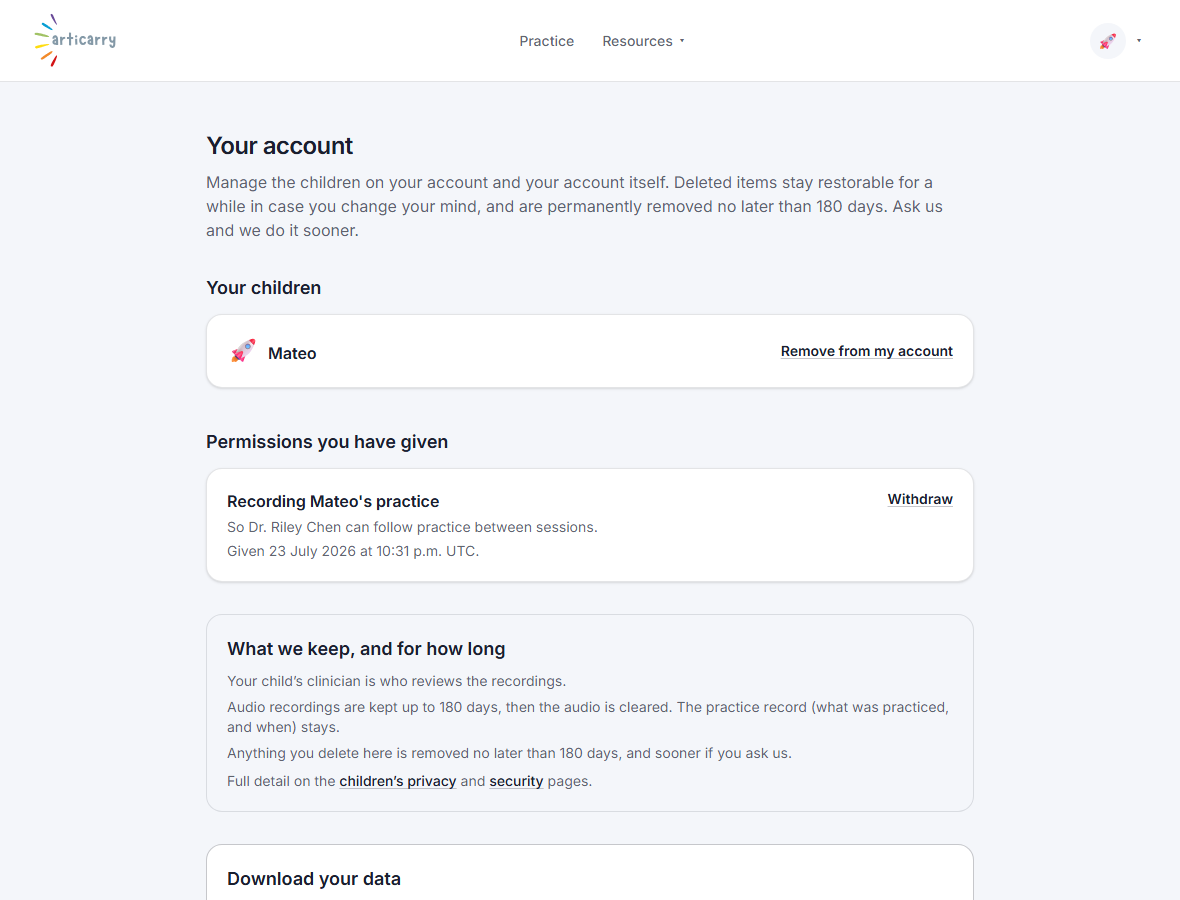
Your child's data is yours to control. From your account page you can withdraw consent, ask for recordings to be deleted, or close the whole account. You never need a reason, and you never need to ask the clinician's permission.
Deleting is held for thirty days so you can change your mind, then removed for good. If you delete something by mistake, you have time to put it back.
This is deliberately the family's control, not the clinician's. A clinician can end their own access to your child, but only you can delete your family's data.
Step by step
-
Open your account page from the menu.
Everything about your data lives here.
-
Choose what you want: withdraw consent, delete a child, or close the account.
Deletion holds for thirty days, then is permanent. You can restore within that window.
Good to know
- Withdrawing consent stops any further recording. Deleting removes what is already stored.
- A school or doctor can ask on your behalf, but we confirm with you before acting.