Your home screen, explained
What every part of your home screen means, and what you can and cannot see. Simple by design.
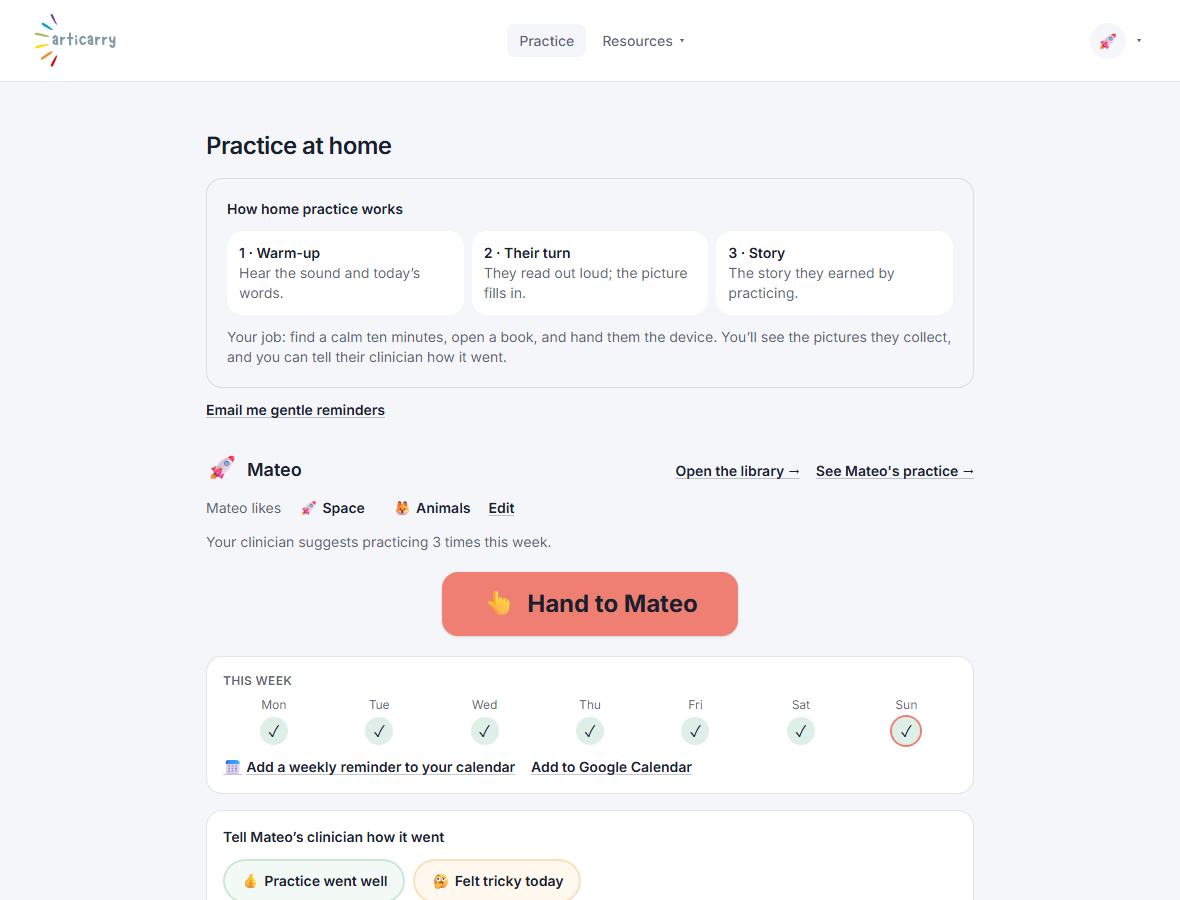
Your home screen is meant to be calm and short. It shows you that practice is happening and gives you the one button that matters: hand the device to your child.
You can see which books are assigned, how many pictures your child has collected, and which days they practiced this week. You can send your clinician a quick note, and set a reminder if you want one.
What you will not see is a grade on your child's speech. Listening to the recordings and deciding what they mean is the clinician's job, on purpose, so it is never handed to you.
Step by step
-
This is your home screen. The big button hands the device to your child.
Everything else on the page is there so you know practice is happening, and stops there.
-
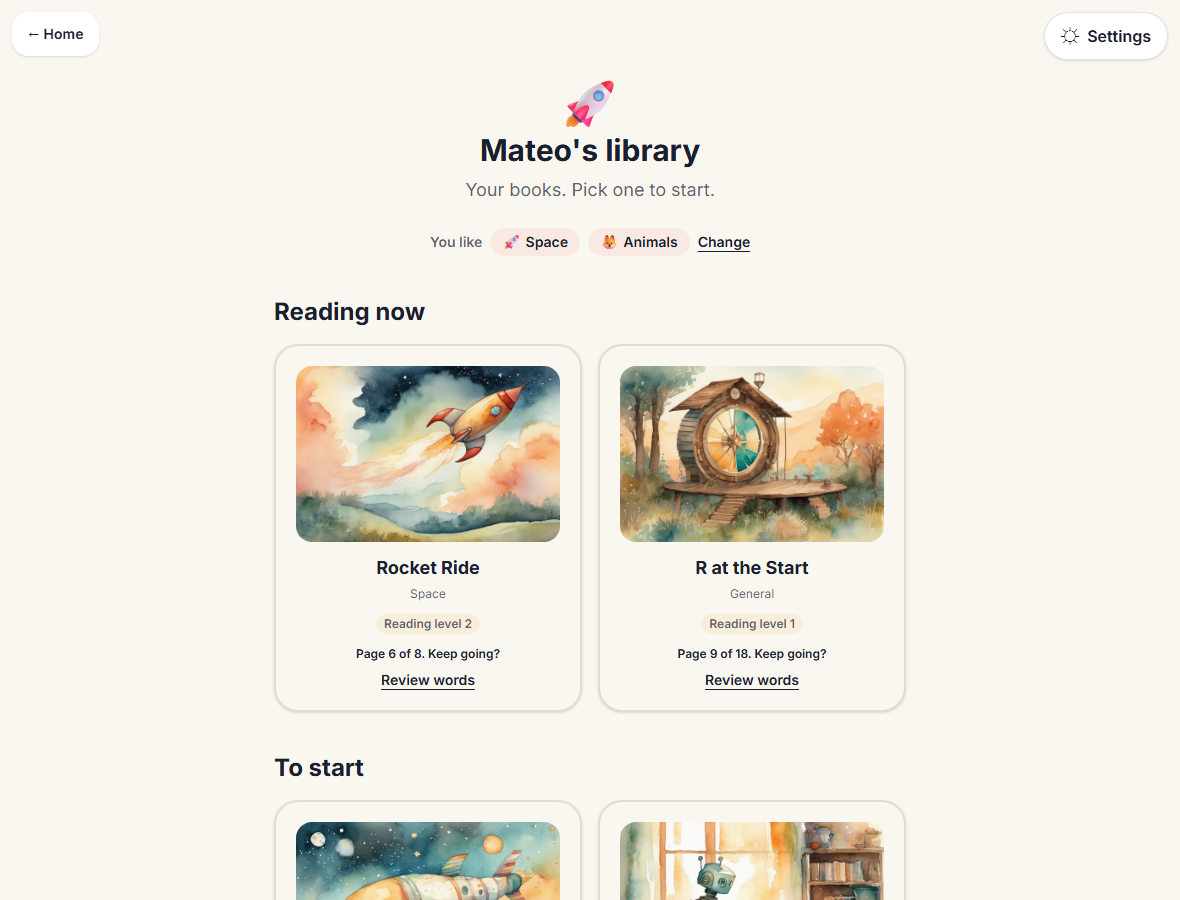
Below, your child's library shows the books the clinician assigned.
The books your child said they like lead the shelf.
Good to know
- The number your child sees is how many pictures they have found, never a score.
- If practice has been quiet, the page nudges gently. There is no guilt in it, and a missed day is normal.
- Right now each family has one login. You and a co-parent or a grandparent can use that same login, on any device.