Invite a family and get them set up
What the invite link is, how to send or resend it, and exactly what the family sees when they open it.
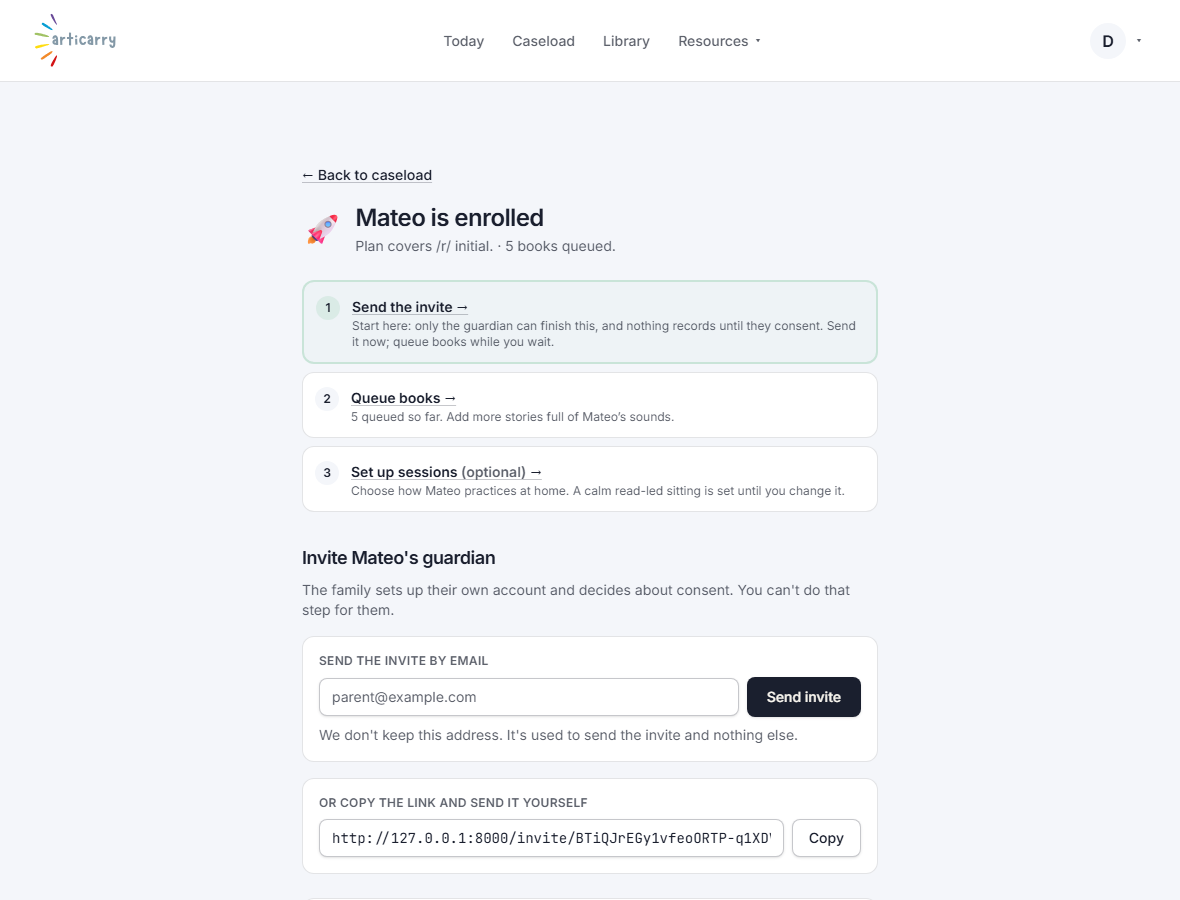
When you finish adding a child, Articarry creates a private invite link for that child's guardian. This is how the family gets in. You do not create a password for them; the link lets them set up their own login.
The invite page shows the link and a short note you can copy into an email or a text message. Send it however you already talk to that family.
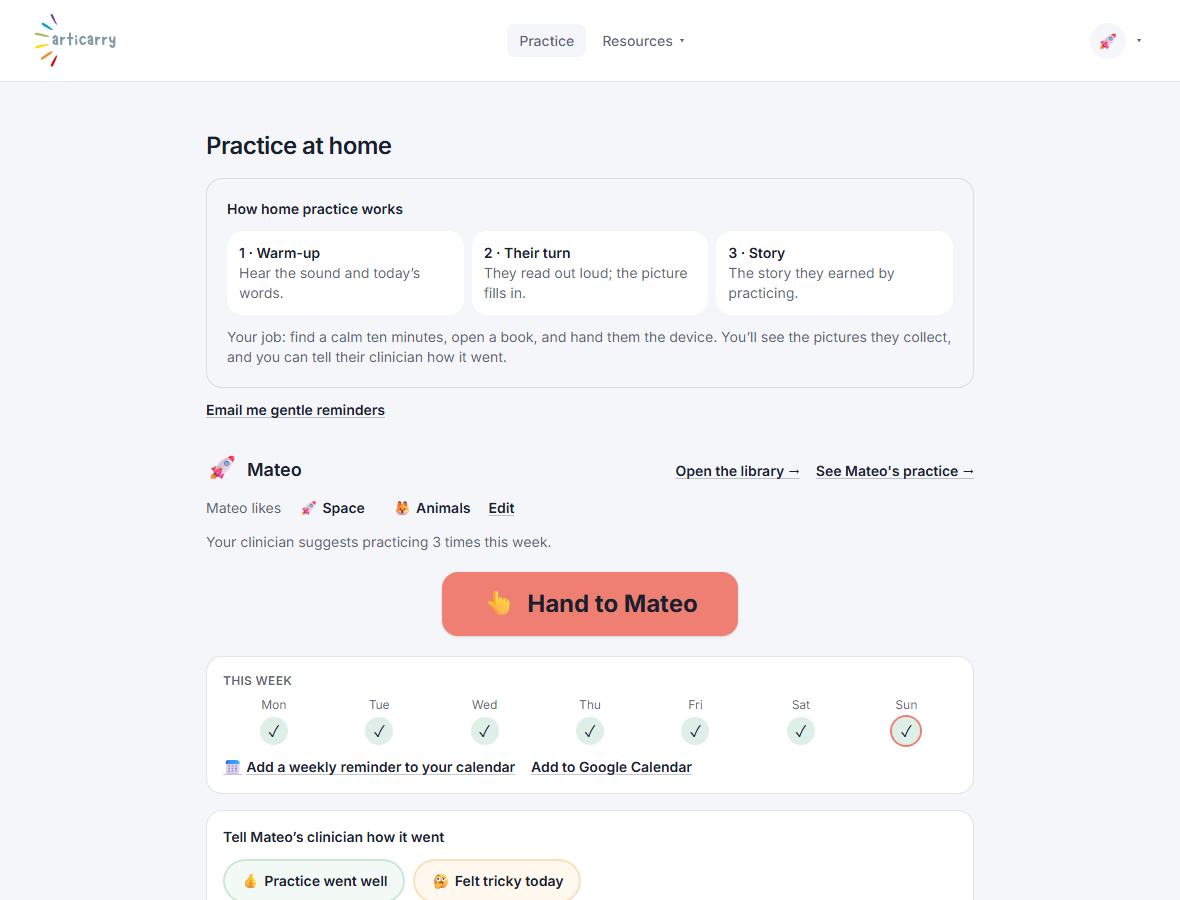
When the guardian opens the link, they read a plain explanation of what Articarry does, give consent, and create their login. From then on they see only their own child.
Step by step
-
After you add a child, you land on the invite page. Copy the link or the ready-made note.
You can return to this page any time from the child's row on your caseload.
-
Send the link to the guardian by email or text.
The link is private to that one child. Only send it to that child's parent or guardian.
-
The guardian opens it, gives consent, creates a login, and lands on their home screen.
From there they hand the device to the child to practice.
Good to know
- If a family says the link did not arrive, open the child's row on your caseload and send the same link again. It does not expire on you.
- If a week goes by with no practice, resend the link and check the family opened it. Nothing comes back until they have consented and the child has practiced.
- The family never needs to find Articarry on their own or create an account first. The link is the whole door.